Since its release last November, I have been deeply immersed in leveraging Cortex Code for various tasks, including optimizing queries, defining transformations, testing/debugging, and creating documentation. Cortex has quickly proven itself as a powerful tool in my Snowflake workflow.
As I continue to explore what Cortex can be utilized for, one specific aspect I would like to focus on is migrating SnapLogic pipelines. Rather than simply acknowledging that “it works,” this post will break down how Cortex Code handles these migrations with precision, highlighting its capabilities, limitations, and practical implications for data engineers.
Cortex’s Work with SnapLogic Migration
SnapLogic teams utilizing Snowflake often find themselves inefficiently managing their pipelines and data. By separating the two, they essentially create a divide between data (in Snowflake) and logic (in SnapLogic). When these pipelines are migrated back to Snowflake, there is a clear architectural benefit; however, the time required to perform such migrations places them far down the priority list.
To test if Cortex could help with such migration efforts, I took a SnapLogic pipeline JSON and exported it into the Cortex code.
How Cortex Processes the JSON
First off, CoCo processes the pipeline structure – identifying each snap within the pipeline; tracing execution order through the link map; detecting branches executed in parallel; and finally identifying synchronization points. In addition to processing the pipeline structure, CoCo also re-creates the logic.
After re-creating the logic, CoCo asked me whether I wanted the output generated as a Snowflake Task with Stored Procedure(s), or as a Snowpark Python application. The difference here shows that CoCo understands contextually relevant distinctions.
The Conversion output
Snowflake Native approach maps cleanly:
Pipeline scheduling → Task with CRON schedule
Sequential steps → Tasks chained with the AFTER clause
Parallel branches → Multiple child Tasks under the same parent
Synchronization gates → Tasks with multiple AFTER predecessors
Child pipeline calls → Stored Procedure calls
Error handling → Finalizer Tasks with exception blocks
The Snowpark Python application generates equivalent logic (ThreadPoolExecutor for parallel branch execution, futures for synchronization, session.sql() for executing SQL against Snowflake, and a structured logging class).
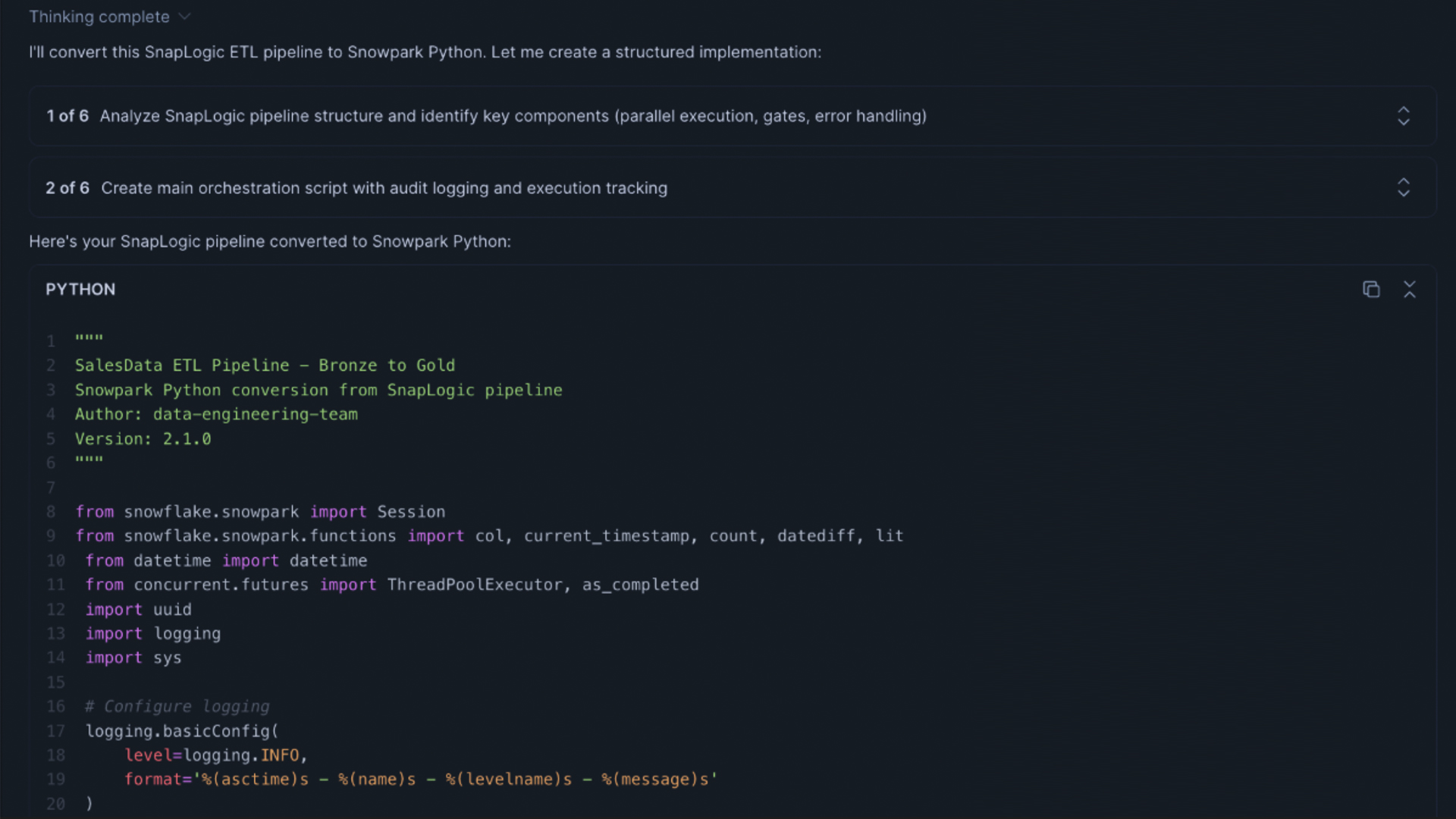
Figure 1: AI-assisted conversion of a SnapLogic ETL pipeline into Snowpark Python, showing step-by-step guidance and the generated Python code.
Both conversion options generated complete codebases, including logging, error handling, and dependency injection — not pseudo-code.
An additional observation I made was that CoCo chose to wrap a new orchestration around an existing Snowflake stored procedure — rather than rewriting it. That is the correct behavior.
Where It’s Honest About Limitations
One thing I find appealing about CoCo’s approach to migration is that it does not claim that everything will map cleanly.
REST API snaps, FTP/File System Access, Email/Slack Notifications – In each of these areas, CoCo identified the gap, explained why it existed, and provided the appropriate Snowflake Workaround (External Functions, Stages, Notification Integrations). In all cases, CoCo has been transparent about what requires manual intervention versus producing untested code.
The level of transparency in identifying gaps in migrating data that require manual input is very important when determining whether the migrated output is ready for deployment into production.
Beyond Migration — What else can I use CoCo for?
I had mentioned it a few times in conversation, so I wanted to say: SnapLogic conversion isn’t all I’m using CoCo for.
Query Debugging – paste an issue/very slow/broken query into CoCo and ask what the problem is. Quickly find the issue and tell you without sounding condescending.
Transformation Logic – Tell CoCo exactly how you would like the transformation to occur in plain English (i.e., “take column A, add 2, store result as B”), and you’ll receive the SQL back. Great if you have the desired output in mind, but don’t want to create the SQL from scratch.
Explaining Legacy Code: Take an older pipeline with little-to-no comments/documentation, paste it into CoCo, and ask it to explain what each section of code does. Much faster than trying to read through it yourself, and CoCo may catch something you overlooked.
Reviewing Pipelines – Ask CoCo to review a pipeline you created and provide suggestions for improvement. This includes identifying areas where your pipeline could be optimized, unnecessary steps, and ways to replace Task-based approaches with Dynamic Tables or Streams.
This all takes place within your Snowflake environment. Once again, none of this will leave your environment, which is important when you are working with live/prod data and/or have governance requirements to comply with.
Tips If You’re Going to Try This
At first, my prompts were vague. “Turn this into Snowflake Tasks” – The output was usable but required additional work.
When I began making my prompts more specific — Preserve Stored Procedure Calls; Log Errors to Table X using Columns Y-Z; Follow Snake_Case Naming Conventions; Identify Anything That Requires Manual Attention — The quality of the output improved. Less cleanup time = Closer to Deployable on the First Pass.
Several items can be used to improve the prompting process:
Provide your schema to CoCo. If CoCo has knowledge of your actual table definitions, the SQL generated by CoCo will match those definitions. Without that information, CoCo uses its own logic based upon reasonable assumptions, which may require some edits to generate correct SQL.
Iterate through the session rather than regenerating. If a portion of the output is incorrect, request CoCo to modify that area specifically. CoCo maintains its contextual information well within a single session, and subsequent requests will typically take less time than restarting.
Identify what you want to preserve. If you have existing stored procedures that work correctly, tell CoCo which ones they should NOT alter. Example: Do Not Alter “SP_TRANSFORM_CUSTOMERS”; call it from the task as indicated above.
Bottom Line
CoCo handles the mechanical aspects of translating your SnapLogic pipeline fairly well. All the parallel branch type things, sync gate types, stored procedure call types, error handling types, scheduling, etc. Will translate correctly in terms of how they would behave in the new pipeline, saving you real time. The judgment calls… Does this match our internal best practices? Are there some unique data edge cases I’m missing? Does the way we’re handling errors in this pipeline align with other similar pipelines? Those are still left to the engineer’s discretion and should remain so.
When you need to manually handle certain tasks (REST APIs, file system access, row-by-row processing), CoCo communicates clearly, avoiding creating something that may look correct at first but eventually breaks. That’s the type of behavior you’d expect from a tool that you’ll trust with your production data.
Sitting on a backlog of SnapLogic pipelines with manual efforts to move them forward? CoCo may be a viable option. It won’t eliminate all of your work. But it will eliminate the part that consumes most of the time with minimal value.